照片评分一次,各店铺按需加权
一个电商平台要求卖家上传一张好的主图。"Is this a good photo?" 这样的问法掩盖了照片好在哪里,而不同店铺看重的方面也不一样。Valen 对每张照片在三个维度上评分一次;代码用权重把它们组合起来,每个店铺都可以修改权重,无需再次调用模型。
| 影棚 | 厨房台面 | 光线昏暗 | 被裁切 |
|---|---|---|---|
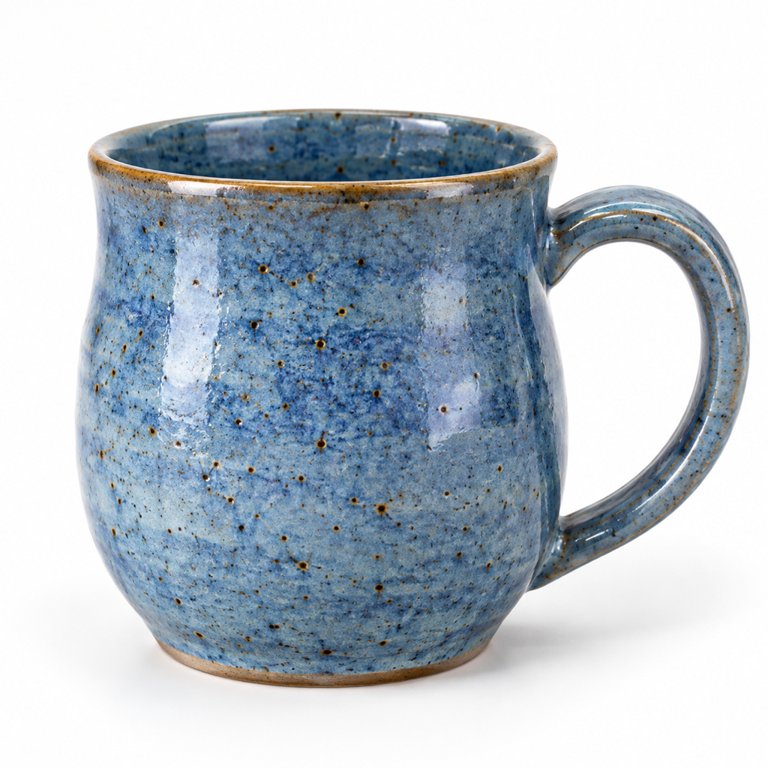 | 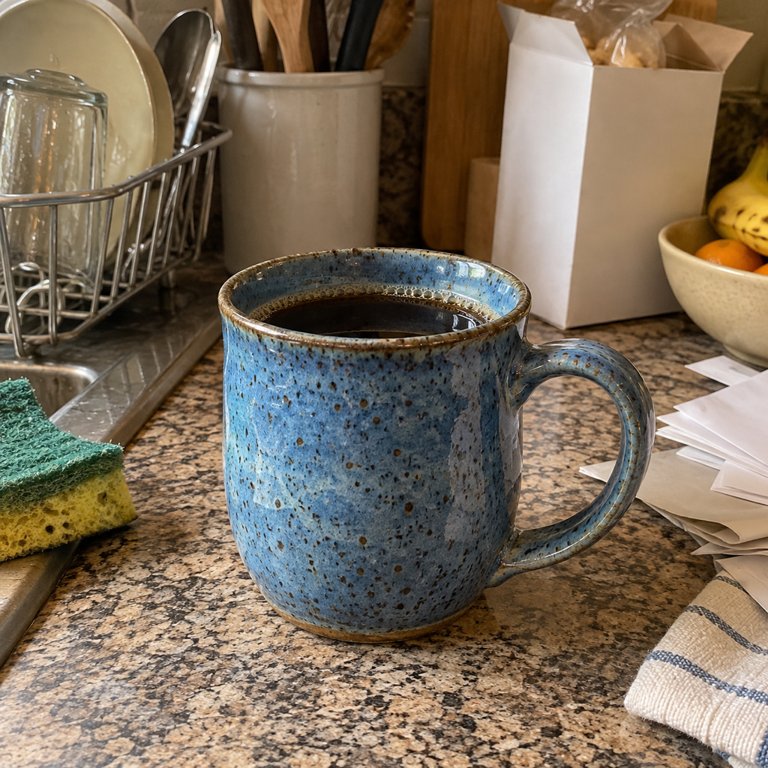 | 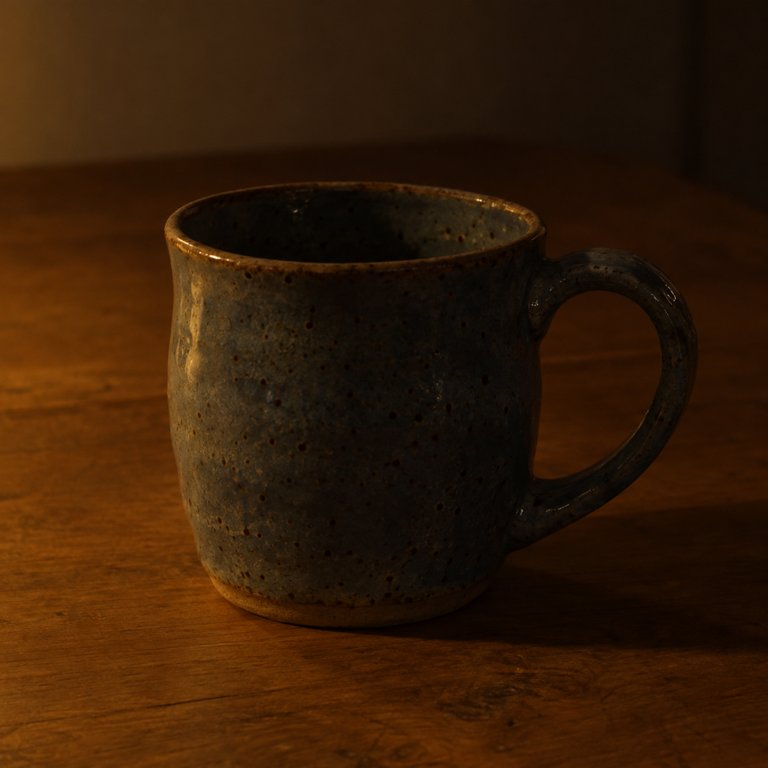 | 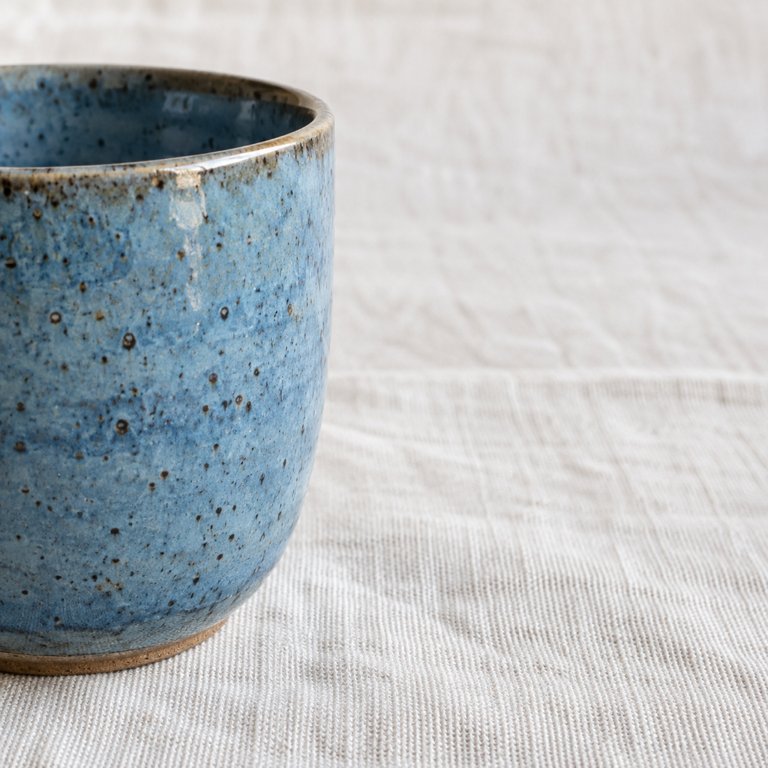 |
工作原理
三道评分题,每道有三个等级,每个等级都描述成人一眼能认出的情形:
| 维度 | 等级 |
|---|---|
lighting | 差 · 一般 · 好 |
background | 杂乱 · 素净 · 影棚 |
framing | 被裁切 · 松散 · 居中 |
评分题在三个等级上取值 0 到 2;代码除以 2,让每个维度落在 0–1 之间,再按店铺计算加权和:
| 配置 | lighting | background | framing |
|---|---|---|---|
marketplace | 0.3 | 0.2 | 0.5 |
premium_shop | 0.3 | 0.5 | 0.2 |
运行
先下载一次示例包。caches/composite_scoring.json 中录制的回答让脚本无需 API key 即可运行;加 --replay off 则改为调用免费托管 API。
Bash
curl -fLO https://valen-team.github.io/cookbook/valen-cookbook.zip
python -m zipfile -e valen-cookbook.zip .
cd valen-cookbook && python -m pip install -r requirements.txt
python composite_scoring.py
python composite_scoring.py --replay off --base-url https://api.valen-team.workers.dev/v1
代码
composite_scoring.py
"""Score listing photos once per dimension, then let code weigh the dimensions for each storefront. Apache-2.0."""
import json

from common import HERE, client, emit, image_bytes, image_input, parser, request

DIMENSIONS = {
    "lighting": ("How well lit is the mug?", [
        ("poor", "Dark, heavily shadowed or color-cast; the glaze is hard to see"),
        ("fair", "Ordinary indoor light; the glaze is visible but flat"),
        ("good", "Bright, even light that shows the glaze clearly")]),
    "background": ("How clean is the background behind the mug?", [
        ("cluttered", "Other household objects compete with the mug"),
        ("plain", "A table or cloth with nothing else in view"),
        ("studio", "A seamless studio backdrop")]),
    "framing": ("How much of the mug is in the frame?", [
        ("cut_off", "Part of the mug, such as the handle, is outside the frame"),
        ("loose", "The whole mug is visible but small or off-center"),
        ("centered", "The whole mug is centered and fills the frame")]),
}
# Weights are business choices in code; changing them never needs another model call.
PROFILES = {"marketplace": {"lighting": 0.3, "background": 0.2, "framing": 0.5},
            "premium_shop": {"lighting": 0.3, "background": 0.5, "framing": 0.2}}


def score(predict, photo):
    questions = [{"name": name, "type": "score", "instructions": text,
                  "levels": [{"label": label, "description": description} for label, description in levels]}
                 for name, (text, levels) in DIMENSIONS.items()]
    answers = request(predict, image_input(image_bytes(HERE / "media" / photo)), questions)
    # Scores run 0-2 over three levels; divide by 2 so every dimension is on 0-1.
    return {"photo": photo, **{name: answers[name]["score"] / 2 for name in DIMENSIONS}}


def rank(scores, weights):
    total = lambda s: round(sum(weights[name] * s[name] for name in DIMENSIONS), 3)
    return sorted(({"photo": s["photo"], "score": total(s)} for s in scores), key=lambda x: x["score"], reverse=True)


def main():
    args = parser(__doc__).parse_args()
    photos = json.loads((HERE / "composite_scoring_data.json").read_text())
    with client(args) as predict:
        scores = [score(predict, photo) for photo in photos]
    emit({"dimensions": scores, "rankings": {name: rank(scores, w) for name, w in PROFILES.items()}}, args)


if __name__ == "__main__":
    main()
输出
厨房台面那张照片光线充足、主体完整,所以电商平台把它排在第二;高端店铺更看重背景,台面杂乱让它排在最后。
录制的输出
{
  "dimensions": [
    {
      "photo": "mug-studio.jpg",
      "lighting": 0.9991636368077078,
      "background": 0.9938775610787292,
      "framing": 0.9752801720575722
    },
    {
      "photo": "mug-counter.jpg",
      "lighting": 0.9860608196005157,
      "background": 0.006156532209375251,
      "framing": 0.9074895660257324
    },
    {
      "photo": "mug-dim.jpg",
      "lighting": 0.17881670806358135,
      "background": 0.641231147103601,
      "framing": 0.8176063590643421
    },
    {
      "photo": "mug-cropped.jpg",
      "lighting": 0.9932250863251958,
      "background": 0.5433575647609814,
      "framing": 0.29707197970072985
    }
  ],
  "rankings": {
    "marketplace": [
      {
        "photo": "mug-studio.jpg",
        "score": 0.986
      },
      {
        "photo": "mug-counter.jpg",
        "score": 0.751
      },
      {
        "photo": "mug-dim.jpg",
        "score": 0.591
      },
      {
        "photo": "mug-cropped.jpg",
        "score": 0.555
      }
    ],
    "premium_shop": [
      {
        "photo": "mug-studio.jpg",
        "score": 0.992
      },
      {
        "photo": "mug-cropped.jpg",
        "score": 0.629
      },
      {
        "photo": "mug-dim.jpg",
        "score": 0.538
      },
      {
        "photo": "mug-counter.jpg",
        "score": 0.48
      }
    ]
  }
}
改成你自己的
- 保存每个维度的得分,而不只是总分。以后换权重、加筛选条件或训练模型时都能直接使用,无需再次调用 Valen。
- 这些照片是为本教程生成的。